Our work / TrueFit / Recruitment software
Is this role right for me?
A job description can tell you where you’ll work and what you’ll earn. It’s harder to get a feel for the place. We built TrueFit so a candidate can explore an employer and answer a few questions before deciding whether to apply.
Before the application.
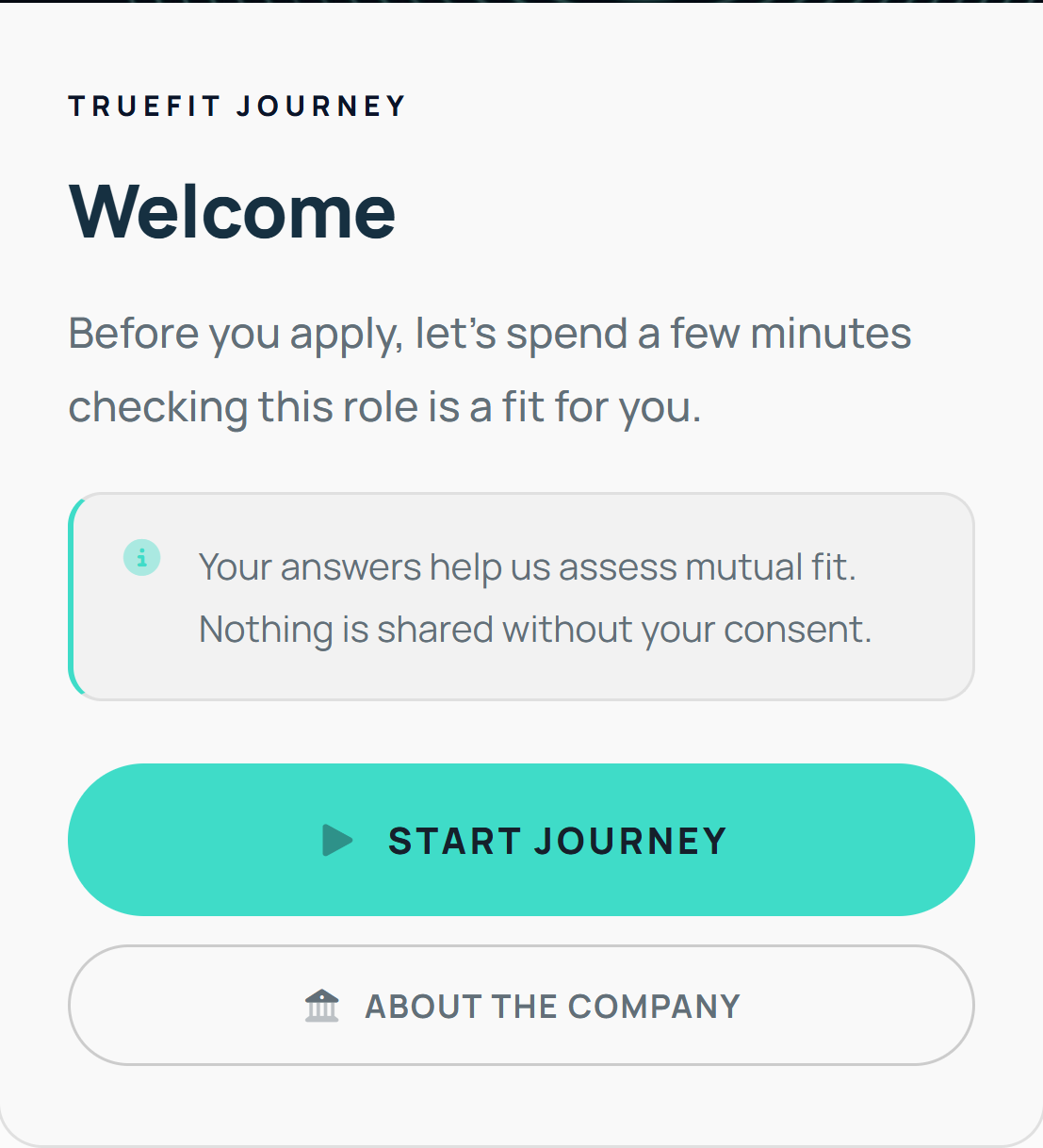
The welcome screen tells candidates what they’re about to do. They can start the journey straight away or open the company information first. Someone who wants to know more about the graduate programme can read about it without losing their place.
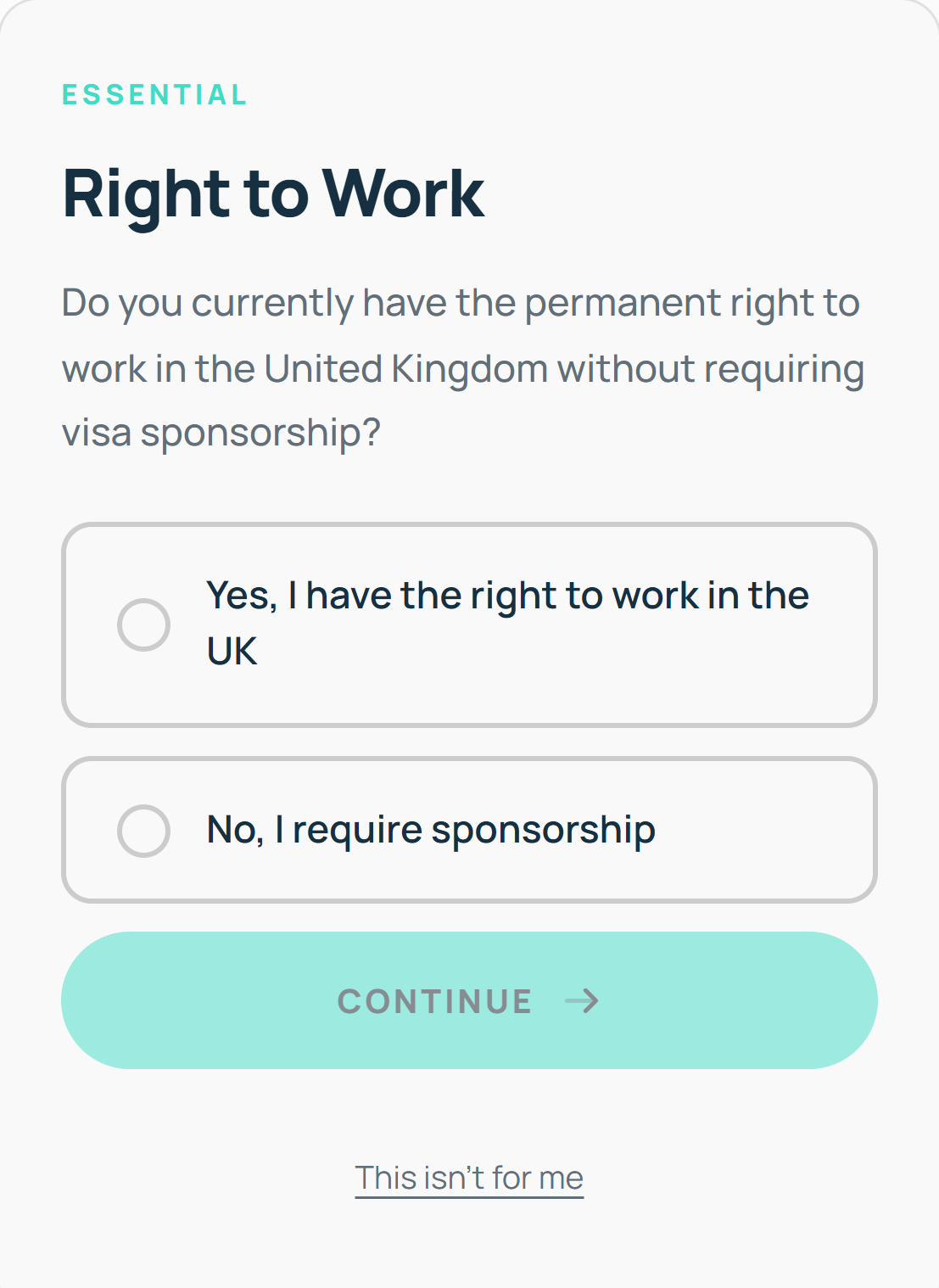
The preview shown here opens with a practical question about the right to work in the UK. Candidates can see it’s question one of ten and can leave the journey if the role is unsuitable. The employer can explain its culture in context, while the candidate still has a decision to make.
Try it from the other side.
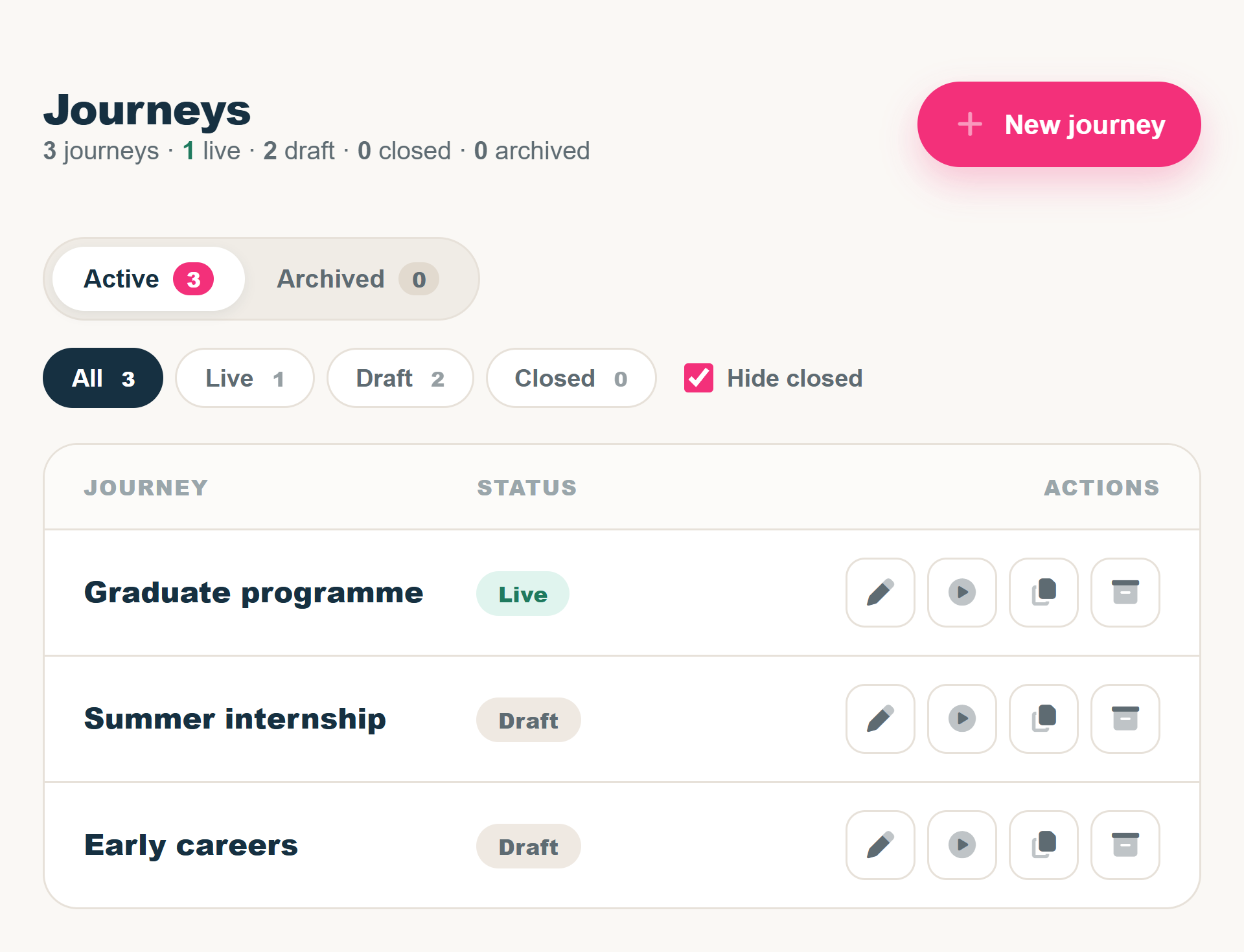
In the CMS, the recruitment team can manage several journeys, see which are live and which are still drafts, and open a candidate preview directly from the list.
That preview matters when someone asks to change a question or check how the welcome reads on a phone. A colleague can go through the experience as a candidate would. Preview runs are kept out of campaign reporting.
How many finish?
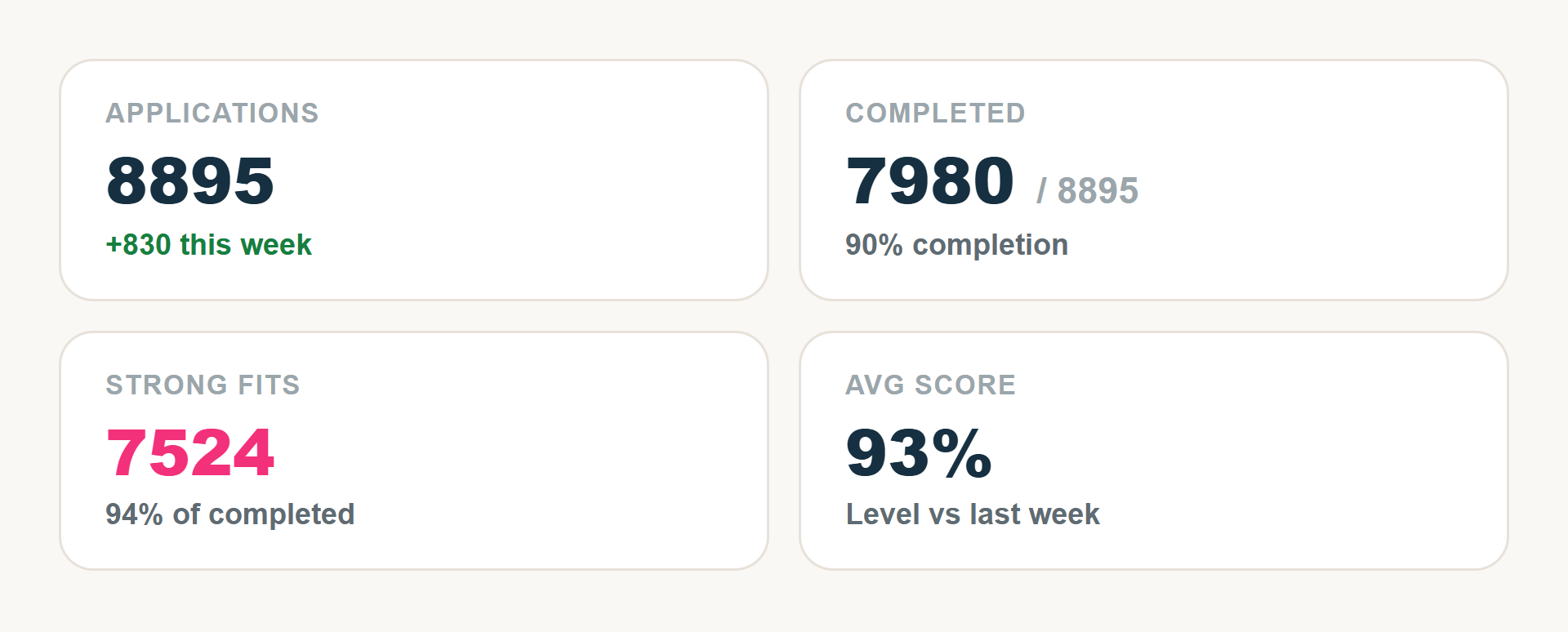
On , one live campaign recorded 7,980 completed journeys from 8,895 applications. That’s a 90% completion rate, rounded to the nearest whole percentage point.
That figure answers one specific question for the recruitment team: how many of the applications counted in this campaign made it to the end of the TrueFit journey? Separate figures show fit scores and time to complete, so the team can look beyond the headline number.
Got a process like this?
If your team runs a journey that starts with a visitor and ends in a report, we’d like to hear how it works today.