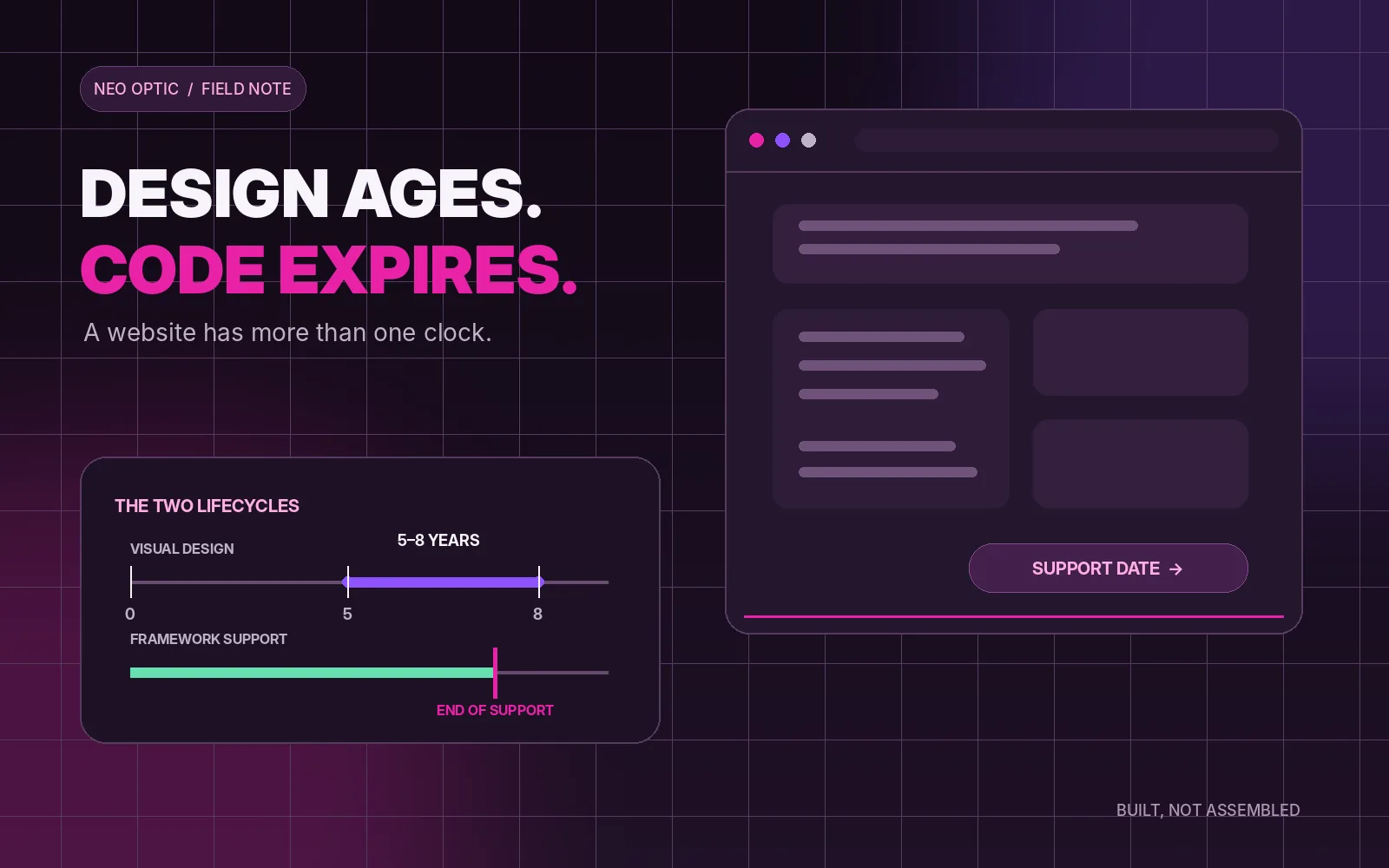
A website does not have one expiry date. As a broad rule, the visual design starts to show its age after five to eight years. But that is rarely what forces the rebuild. The sites I see become genuinely difficult for three more practical reasons: the framework has reached the end of support, the plugin and theme stack can no longer move forward safely, or the person who knew how it all fitted together is gone. Those are different problems, and you can check for them before anybody sells you a new website.
- The honest answer: five to eight years, with a large asterisk
- Trigger one: the framework reaches end of support
- Trigger two: the plugin and theme stack stops moving
- Trigger three: the person who built it is gone
- The free diagnostic: find out what your site runs on
- How to read the result
- Repair, upgrade or rebuild?
- What we are not claiming
- Our position
The honest answer: five to eight years, with a large asterisk
Five to eight years is a sensible planning range for the look of a business website. Typography changes, screens get larger, expectations around mobile and accessibility move on, and the business itself usually has more to say than it did when the site was commissioned. A trend-led design can look tired in three years. A restrained, well-made one can still look completely credible after ten.
That does not make the fifth birthday a rebuild date. If the site still represents the business properly, works on current devices, remains accessible, loads quickly, receives security updates and lets the team change what they need to change, its age is not a fault. A refresh to spacing, imagery and content may be all it needs.
The opposite is also true. A two-year-old site can be effectively expired if it was assembled around an abandoned plugin, tied to an unsupported runtime or delivered without the source code and access needed to maintain it. The year in the footer tells me almost nothing. The versions underneath it tell me much more.
A design has an age. Software has a support lifecycle. A website becomes due for replacement when the second one, or the way the site is managed, can no longer be fixed economically.
Trigger one: the framework reaches end of support
Every serious web platform sits on software that has a published or implied support life: a programming framework, a runtime, a content management system, a database and an operating system. End of support does not mean the website stops at midnight. It means the people responsible for that software are no longer promising fixes for newly discovered problems. The site may carry on looking perfectly normal while the risk quietly transfers to its owner.
WordPress is a good example because there are two clocks. WordPress itself says that only the latest release is officially supported, although critical fixes are sometimes backported to older releases as a courtesy. Underneath WordPress is PHP, which has its own fixed lifecycle. At the date of this post, PHP 8.1 and every earlier branch are out of support; PHP 8.2 is receiving critical security fixes only and reaches end of life on 31st December 2026. The current dates are always on the official PHP supported versions page.
Bespoke sites have the same issue; the names are simply different. Microsoft currently lists .NET 8 and .NET 9 as ending support on 10th November 2026, while .NET 10 is a long-term-support release through 14th November 2028. Those dates are published on the official .NET support policy. Other frameworks publish their own schedules.
The important question is not whether your site uses WordPress, .NET or something else. It is whether somebody knows the exact major version in production, knows when support ends and has a tested route to the next supported version. If the answer is “we will look when it breaks”, the rebuild has already been left too late.
Trigger two: the plugin and theme stack stops moving
A WordPress site can have a current core and still be pinned to the past by everything attached to it. The theme may rely on functions removed from a newer PHP release. A page builder may need a paid licence nobody can find. A form plugin may have been abandoned. A custom add-on may overwrite changes whenever the theme updates. Each part can look small, but together they form an update chain: one component cannot move until another one does.
“No update available” is not always good news. It can mean the software is current. It can also mean the developer stopped maintaining it three years ago. The difference is visible in the release history, support forum and compatibility notes, not in the green tick beside the plugin name.
This is where routine updates become a large project. Instead of moving one supported version at a time, the maintainer has to cross several major releases, replace discontinued components and work out which old customisations are still needed. That does not automatically justify a full rebuild. Sometimes replacing one theme or one critical plugin frees the rest of the site. But once the stack has become a puzzle nobody can update without breaking something, rebuilding on a smaller, controlled foundation can be cheaper than preserving it.
Trigger three: the person who built it is gone
The third expiry date is human. A freelancer retires. An agency closes. An employee leaves. The website still has an admin login, so everybody assumes it is maintainable. Then a certificate fails, a form stops delivering or the hosting company asks a technical question, and it becomes clear that one person was the documentation.
A maintainable site needs more than access to the content editor. Somebody should be able to locate the source code, identify the production version, build it from a clean copy, deploy it without editing live files, restore the database and files, renew the licences, and explain which third-party services the site depends on. The domain, DNS, hosting and administrator accounts should be owned by the business or clearly documented on its behalf.
If those things exist, a new developer can take over. If they do not, every future change begins with archaeology. That “bus factor” is often the real reason an otherwise serviceable website has to be rebuilt: not because the pages are old, but because the route from source code to live website has disappeared.
The free diagnostic: find out what your site runs on
Do not update anything during this exercise. You are collecting facts, not fixing the site in production. Take screenshots or copy the details into a note, then ask a trusted maintainer to interpret anything you do not recognise.
If your site uses WordPress:
- In the dashboard, open Tools > Site Health > Info. The WordPress section shows the core version; the Server section shows the PHP version; the theme and plugin sections list what is installed. WordPress documents the screen here.
- Open Dashboard > Updates and note what is waiting. Do not click the update buttons unless there is a backup, a staging copy and a rollback plan.
- Open Plugins and Appearance > Themes. Note anything custom, anything with an expired licence and anything whose developer or release history cannot be found.
- Check the hosting panel for the PHP version as well. If you cannot see it, ask the host in writing: “Which PHP branch is this website running, and when does that branch reach end of life?”
The Site Health export is useful, but it can contain server paths and other technical details. Do not paste it into a public forum or publish it with a support request.
If your site is bespoke or you are not sure what it is:
- Ask: “Which framework and major version is live today?”
- Ask for the vendor's official end-of-support date, not a guess from the agency.
- Ask where the complete source repository is and whether the current site can be built from it.
- Ask how changes move from a developer's machine to a test site and then to production.
- Ask who is named to own the next framework upgrade and when it is planned.
For any website: confirm that the business can reach the domain registrar, DNS, hosting, website administration, source code and backups. Ask for the date of the last successful restore test, not merely the date of the last backup job.
How to read the result
Green: the runtime and platform are supported; updates are current or deliberately scheduled; the source, credentials and deployment process are documented; a recent backup has been restored successfully; and a named person or company owns the next upgrade.
Amber: support ends within roughly twelve months; several updates have been deferred; the site depends on one person's memory; a licence or plugin is uncertain; or backups exist but nobody has proved that they restore. Amber means make a plan while you still have choices.
Red: a core runtime is already out of support; the site is held on an abandoned theme or plugin; nobody can produce the source or deploy it; the business does not control the domain or hosting; or there is no credible backup. Red does not always mean “rebuild today”, but it does mean the current arrangement should not be left unattended.
One amber item can usually be fixed. Several red items together are what turn a maintenance job into a rescue.
Repair, upgrade or rebuild?
Ask for two scopes, not one. The first should price stabilising what exists: take a verified backup, create a safe test copy, update supported components, replace anything abandoned, document access and put the site onto a maintainable version. The second should price a rebuild, including content migration, redirects, testing and the future support route.
Repair normally wins when the business, content model and design still fit, the source is available and the upgrade path is mostly intact. Rebuild normally wins when two or three triggers arrive together: an unsupported foundation, a tangled dependency stack and no reliable technical ownership. It also wins when the business has changed so much that preserving the old structure would be paying to restore the wrong site.
The useful comparison is not “old site versus shiny new site”. It is the cost and risk of making the existing site properly supportable versus the cost and risk of replacing it. A responsible recommendation should be able to show both.
What we are not claiming
We are not claiming that an old website is automatically insecure. A ten-year-old site that has been upgraded continuously can be healthier than a recent site assembled from neglected parts.
We are not claiming every end-of-support date is an emergency shutdown. It is a planning boundary. The urgency depends on exposure, available mitigations and how quickly a supported upgrade can be made.
We are not claiming WordPress sites cannot last. A well-maintained WordPress site with a restrained plugin set, a supported PHP version and an active maintainer can run for years. The problem is not the logo in the dashboard; it is unmanaged dependency drift.
We are not claiming bespoke software is maintenance-free. Owning the code gives you control, not immunity. Frameworks still need patches and planned upgrades.
And five to eight years is not a warranty or a deadline. It is a useful design-planning range, nothing more.
Our position
We build so the support route is known from day one: a controlled source repository, repeatable deployment, documented ownership, a deliberately small dependency set and a named person responsible for updates. Our current OliveCore builds run on .NET 10 LTS, which Microsoft supports through 14th November 2028, and we plan framework moves before the date becomes a crisis. That does not make the sites immortal. It makes their next upgrade visible and manageable.
When we look at an existing site, the first conversation is not “what colour should the new one be?” It is versions, support dates, source, access, backups and who owns the work. Sometimes the answer is a rebuild. Sometimes it is a much smaller piece of maintenance that buys the site several good years.
If you want a straight read, collect the facts above and send us the non-sensitive version. We will tell you whether the site looks healthy, needs an upgrade plan or has reached the point where a rebuild is the more honest number. The diagnostic comes before the pitch.